AWS Private Certificate Authority (AWS Private CA) now enables you to issue up to 100 million certificates per certificate authority (CA), an increase from the previous default limit of 1 million certificates. This limit increase allows you to optimize your CA operations by managing fewer CAs while maintaining the security and flexibility of your public key infrastructure (PKI).
The new 100 million certificates per CA limit is available by default for CAs configured without revocation or with revocation configuration set to partitioned Certificate Revocation List (CRL) and/or Online Certificate Status Protocol (OCSP). CAs configured with complete CRL will continue to have a maximum limit of 1 million certificates per CA. If you are currently using complete CRL and need to issue more certificates, you can switch to partitioned CRL to automatically increase the certificates per CA limit to 100 million certificates. AWS Private CA is a managed service that lets you create private certificate authorities (CAs) to issue digital certificates for authenticating internal users, servers, applications, and devices within your organization, while securing the CA’s private keys using Federal Information Processing Standard (FIPS) 140-3 Level 3 hardware security modules (HSMs). AWS Private CA offers connectors so you can use AWS Private CA with Kubernetes, Active Directory, and mobile device management (MDM) software.
AWS Private CA is available in all commercial AWS Regions, the AWS GovCloud (US) Regions, and the China Regions.
AWS Private Certificate Authority (AWS Private CA) now enables you to issue up to 100 million certificates per certificate authority (CA), an increase from the previous default limit of 1 million certificates. This limit increase allows you to optimize your CA operations by managing fewer CAs while maintaining the security and flexibility of your public key infrastructure (PKI). The new 100 million certificates per CA limit is available by default for CAs configured without revocation or with revocation configuration set to partitioned Certificate Revocation List (CRL) and/or Online Certificate Status Protocol (OCSP). CAs configured with complete CRL will continue to have a maximum limit of 1 million certificates per CA. If you are currently using complete CRL and need to issue more certificates, you can switch to partitioned CRL to automatically increase the certificates per CA limit to 100 million certificates. AWS Private CA is a managed service that lets you create private certificate authorities (CAs) to issue digital certificates for authenticating internal users, servers, applications, and devices within your organization, while securing the CA’s private keys using Federal Information Processing Standard (FIPS) 140-3 Level 3 hardware security modules (HSMs). AWS Private CA offers connectors so you can use AWS Private CA with Kubernetes, Active Directory, and mobile device management (MDM) software. AWS Private CA is available in all commercial AWS Regions, the AWS GovCloud (US) Regions, and the China Regions. To learn more about AWS Private CA certificate limits, see AWS Private CA Service Quotas.
AWS Firewall Manager announces security policy support for AWS Private Link. Customers have come to rely on AWS Private Link for secure communications, and AWS Firewall Manager to configure security services for their asset’s protection. Customers can now access and manage their Firewall Manager privately, without going through the public internet. AWS PrivateLink provides private connectivity between VPCs, AWS services, and on-premises applications, securely over the Amazon network. When AWS PrivateLink is used with AWS Firewall Manager, all management and control traffic between clients and Network Firewall flows over a private network.
To learn more about how AWS Firewall Manager works with AWS Private Link see the AWS Firewall Manager documentation for more details and the AWS Region Table for the list of regions where AWS Firewall Manager is currently available. To learn more about AWS Firewall Manager, its features, and its pricing, visit the AWS Firewall Manager website.
AWS Firewall Manager announces security policy support for AWS Private Link. Customers have come to rely on AWS Private Link for secure communications, and AWS Firewall Manager to configure security services for their asset’s protection. Customers can now access and manage their Firewall Manager privately, without going through the public internet. AWS PrivateLink provides private connectivity between VPCs, AWS services, and on-premises applications, securely over the Amazon network. When AWS PrivateLink is used with AWS Firewall Manager, all management and control traffic between clients and Network Firewall flows over a private network. To learn more about how AWS Firewall Manager works with AWS Private Link see the AWS Firewall Manager documentation for more details and the AWS Region Table for the list of regions where AWS Firewall Manager is currently available. To learn more about AWS Firewall Manager, its features, and its pricing, visit the AWS Firewall Manager website.
Amazon Simple Notification Service (Amazon SNS) now allows customers to make API requests over Internet Protocol version 6 (IPv6) through AWS PrivateLink with Virtual Private Cloud (VPC) endpoints. This launch extends IPv6 compatibility, previously available only for public endpoints, to VPC endpoints across all AWS commercial Regions.
Amazon SNS is a fully managed messaging service that enables publish/subscribe messaging between distributed systems, microservices, and event-driven serverless applications. With this update, customers can now use VPC Endpoints to privately connect their VPCs to Amazon SNS using IPv6. With simultaneous support for both IPv4 and IPv6 clients on SNS VPC endpoints, customers can gradually transition from IPv4 to IPv6-based systems and applications without needing to switch all systems at once.
IPv6 support for VPC endpoints is now available in all AWS commercial Regions, including AWS China Regions operated by Sinnet and NWCD. For more information on using Amazon SNS with interface VPC endpoints, please refer to our Developer Guide. To learn more about AWS PrivateLink, see accessing AWS services through AWS PrivateLink.
Amazon Simple Notification Service (Amazon SNS) now allows customers to make API requests over Internet Protocol version 6 (IPv6) through AWS PrivateLink with Virtual Private Cloud (VPC) endpoints. This launch extends IPv6 compatibility, previously available only for public endpoints, to VPC endpoints across all AWS commercial Regions. Amazon SNS is a fully managed messaging service that enables publish/subscribe messaging between distributed systems, microservices, and event-driven serverless applications. With this update, customers can now use VPC Endpoints to privately connect their VPCs to Amazon SNS using IPv6. With simultaneous support for both IPv4 and IPv6 clients on SNS VPC endpoints, customers can gradually transition from IPv4 to IPv6-based systems and applications without needing to switch all systems at once. IPv6 support for VPC endpoints is now available in all AWS commercial Regions, including AWS China Regions operated by Sinnet and NWCD. For more information on using Amazon SNS with interface VPC endpoints, please refer to our Developer Guide. To learn more about AWS PrivateLink, see accessing AWS services through AWS PrivateLink.
Amazon Simple Queue Service (Amazon SQS) now allows customers to make API requests over Internet Protocol version 6 (IPv6) through AWS PrivateLink with Virtual Private Cloud (VPC) endpoints. This launch extends IPv6 compatibility, previously available only for public endpoints, to VPC endpoints across all AWS commercial Regions.
Amazon SQS is a fully managed message queuing service that enables decoupling and scaling of distributed systems, microservices, and serverless applications. With this update, customers can now use VPC Endpoints to privately connect their VPCs to Amazon SQS using IPv6. With simultaneous support for both IPv4 and IPv6 clients on SQS VPC endpoints, customers can gradually transition from IPv4 to IPv6-based systems and applications without needing to switch all systems at once.
IPv6 support for VPC endpoints is now available in all AWS commercial Regions, including AWS China Regions operated by Sinnet and NWCD. For more information on using Amazon SQS with interface VPC endpoints, please refer to our Developer Guide. To learn more about AWS PrivateLink, see accessing AWS services through AWS PrivateLink.
Amazon Simple Queue Service (Amazon SQS) now allows customers to make API requests over Internet Protocol version 6 (IPv6) through AWS PrivateLink with Virtual Private Cloud (VPC) endpoints. This launch extends IPv6 compatibility, previously available only for public endpoints, to VPC endpoints across all AWS commercial Regions. Amazon SQS is a fully managed message queuing service that enables decoupling and scaling of distributed systems, microservices, and serverless applications. With this update, customers can now use VPC Endpoints to privately connect their VPCs to Amazon SQS using IPv6. With simultaneous support for both IPv4 and IPv6 clients on SQS VPC endpoints, customers can gradually transition from IPv4 to IPv6-based systems and applications without needing to switch all systems at once. IPv6 support for VPC endpoints is now available in all AWS commercial Regions, including AWS China Regions operated by Sinnet and NWCD. For more information on using Amazon SQS with interface VPC endpoints, please refer to our Developer Guide. To learn more about AWS PrivateLink, see accessing AWS services through AWS PrivateLink.
La IA en el trabajo: cómo la IA ha pasado de ser una herramienta a ser un «compañero de equipo»
El profesor de negocios explora cómo la IA democratiza la experiencia, lo que eso significa para las organizaciones y por qué los líderes necesitan «hacer IA» tanto como «hablar de IA».
Por Jared Spataro, CMO de IA en el Trabajo de Microsoft
El profesor de la Escuela de Negocios de Harvard, Karim Lakhani, no solo tiene teorías sobre la transformación del trabajo por parte de la IA, sino que estudia cómo sucede en realidad.
En un artículo pionero llamado «The Cybernetic Teammate», él y sus coautores demostraron cómo las personas que trabajan con IA pueden ser tan efectivas como equipos enteros que trabajan sin ella. También evoluciona de manera rápida el programa de MBA de Harvard para la era de la IA, que incluye el lanzamiento de un nuevo curso obligatorio llamado Ciencia de Datos e IA para Líderes.
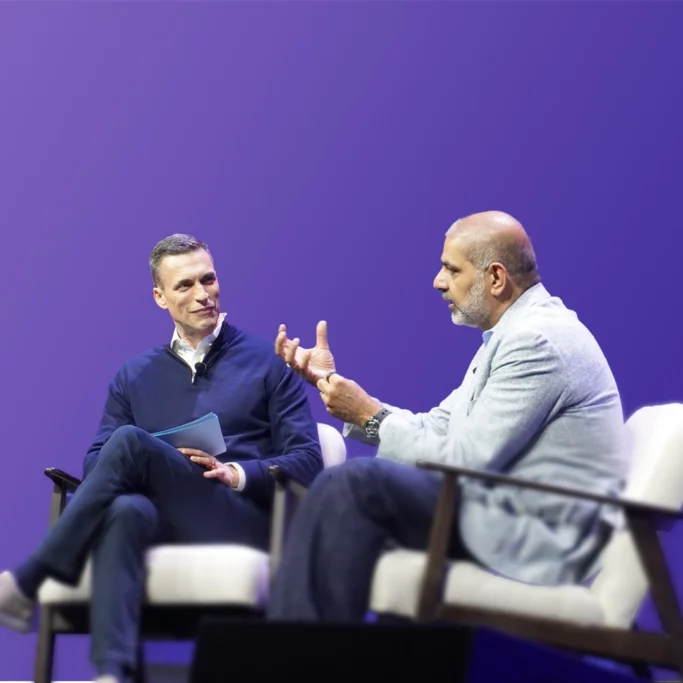
Cuando recibí a Karim para una conversación en la Conferencia de la Comunidad de Microsoft 365 el mes pasado en Las Vegas, planteó una pregunta provocadora: ¿la IA reducirá el costo marginal de la experiencia a cero? A medida que la IA democratiza el acceso al conocimiento especializado en todos los dominios, se deduce que la experiencia pasará de ser escasa y costosa a abundante y accesible. «Esto tendrá un impacto dramático en la naturaleza de nuestras organizaciones y estrategias», me dijo, «porque ¿qué son las empresas sino paquetes de experiencia? Y todos nosotros invertimos para convertirnos en expertos profundos en un dominio».
Esta es nuestra conversación sobre las organizaciones y el liderazgo en la era de la IA (editada y condensada para mayor claridad).
Es un placer hablar con uno de mis amigos sobre hacia dónde se dirige la IA y lo que significa para los líderes. Karim, quiero empezar con ese estudio de «Compañero cibernético de equipo «, hecho con Procter & Gamble. ¿Podrías contarnos la historia de fondo?
KARIM LAKHANI: El instituto que dirijo en Harvard, el Digital Data Design Institute, considera la IA generativa como una nueva «droga» en la economía. No conocemos su eficacia, las dosis correctas, los efectos secundarios o la dieta correcta a seguir mientras lo usamos. No sabemos cómo se transformará el trabajo real con la introducción de esta tecnología, por lo que llevamos a cabo el equivalente a los «ensayos clínicos»: ensayos controlados aleatorios.
Víctor Aguilar, jefe de investigación y desarrollo de Procter & Gamble, quería entender cómo la IA generativa podría transformar de manera radical el proceso de innovación en P&G. En innovación, a menudo hay esta interacción entre la gente de investigación y desarrollo y comercial: la investigación y el desarrollo aporta las ideas técnicas, pero el equipo comercial pregunta: «¿hay un mercado para esto o no?» La mejor práctica es hacer que colaboren en un equipo.
Diseñamos este estudio de 758 profesionales como lo que llamamos un diseño de dos por dos: hicimos que la gente comercial y de marketing trabajara en los desafíos planteados por sus líderes empresariales, un grupo que trabajaba sin IA y otro con IA. También realizamos pruebas a individuos en las mismas condiciones. Luego aleatorizamos quién estaba en qué tratamiento y les pedimos que resolvieran sus problemas con esas herramientas.
Hablemos de los resultados. Este es el estudio que demostró que un individuo equipado con IA podría desempeñarse al menos tan bien como equipos enteros de personas sin IA, y a veces superarlos. Es un hallazgo histórico. ¿Puede hablarnos de eso?
LAKHANI: ¿Qué aporta un compañero de equipo? Le brindan experiencia funcional, lo ayudan con la coordinación y le brindan un sentido de camaradería. Medimos estos tres elementos de forma remota por medio de Microsoft Teams como plataforma.
El primer hallazgo fue que cuando se observa el rendimiento puro, la calidad de las ideas que se crean, las personas con IA eran tan buenas como un equipo sin IA y, a menudo, tan buenas como un equipo con IA. Eso fue notable desde nuestra perspectiva.
La otra cosa interesante que vimos fue que los individuos sin IA tendían a desviarse hacia su experiencia funcional: la gente de marketing ofrecía soluciones basadas en marketing, la gente de investigación y desarrollo ofrecía soluciones basadas en investigación y desarrollo. Pero las personas con IA produjeron soluciones equilibradas, comparables a las soluciones equilibradas que vimos en los equipos. Ese fue un gran momento para nosotros.
¿Hubo alguna otra sorpresa en la forma en que las personas usaron la IA, replantearon su trabajo o querían usarla en el futuro?
LAKHANI: Habíamos realizado varios estudios antes que mostraban los efectos de la IA en la productividad, tanto en términos de calidad como de tiempo. La compresión del tiempo fue bastante notable. Los equipos por lo general experimentan una penalización de tiempo [porque la coordinación lleva tiempo]. Pero con la IA, esa penalización de tiempo desapareció. Fue una gran sorpresa. Otra sorpresa fue cómo se sentían las personas al usar la IA. Reportaron más emociones positivas y menos negativas mientras realizaban el trabajo.
Lo más importante para nosotros fue que la IA pasó de ser una herramienta a un compañero de equipo. Esto no tiene precedentes. Ahora tenemos inteligencia y experiencia a la disposición.
Me imagino que lo que está en la mente de la gente es: «Lo entiendo. Entiendo dónde está la tecnología… Pero, ¿qué significa esto para mí? ¿Qué hago yo como líder?» ¿Qué consejo le daría al grupo?
LAKHANI: ¿Recuerdas los debates sobre si deberíamos tener Wi-Fi en nuestras oficinas? Estoy seguro de que algunos de ustedes participaron en ellos. La pregunta tal vez llegó a sus tableros. O recuerda la pregunta: «¿Deberían los empleados tener navegadores? ¿Acceso a la información global?»
Esas cosas no cambiaron de manera fundamental la naturaleza del trabajo. Pero la inteligencia bajo demanda, la experiencia bajo demanda: estas tecnologías tienen que ver con el trabajo en sí mismo. Es necesario impulsar tanto la transformación organizativa como la técnica. A menudo decimos que es un 30% de tecnología, un 70% de organización. Engrápate a tus equipos de RRHH. O pídele a Copilot que te enseñe las cosas sobre RRHH que deberías saber. Crea excelentes tutoriales, como sabes. Eso es lo primero.
Segundo: La gente está preocupada, en verdad preocupada, por estas tecnologías. Eso es parte de la conversación que necesitas tener. ¿Cómo podemos tener una mentalidad de abundancia en torno a esto? ¿Cuáles son los desbloqueos de capacidad? Una vez más, estas son cosas sobre las que por lo general no se les ha preguntado a los líderes tecnológicos. Pero tienes que adueñarte de ello y entablar una conversación con tus líderes y compañeros de equipo al respecto.
Tercero: Este tipo de cambio tiene que venir desde arriba. Llegué en la era de la revista Wired y Fast Company en la década de 1990, cuando Internet llegó a los lugares de trabajo. Fast Company se centraba en los agentes de cambio. Pero los agentes de cambio son masacrados en la mayoría de las corporaciones. ¿Por qué? Porque si no hay una aceptación de arriba hacia abajo, los agentes de cambio mueren en la vid. La clave para nosotros aquí es asegurarnos de que nuestros principales líderes entiendan esto y vean la IA como una tecnología de trabajo y negocio, no como una tecnología de la información. Los líderes de las empresas necesitan «hacer IA» (usar Copilot como un socio de pensamiento todo el tiempo, crear sus propios agentes) tanto como «hablar de IA».
¿Hay algún último concepto o idea que sientas que no se ha dicho?
LAKHANI: Bueno, si fuera bueno para predecir el futuro, estaría en el mercado de valores, no en la academia. Tiendo a ser muy empirista: llego con una mentalidad de descubrimiento, realizamos el experimento y luego obtenemos los hechos. Pero me encantaría ofrecer un marco en torno a esta visión de inteligencia.
Decidí convertirme en académico en la década de 1990 cuando descubrí el software de código abierto. Ahora estamos en la misma coyuntura. Esto funciona en la práctica, pero nuestras teorías de gestión o teorías económicas no saben cómo manejar este tipo de tecnología.
Piensa en los años 90 de nuevo, cuando el navegador estuvo disponible. ¿Qué hicieron en realidad el navegador e Internet? En esencia, redujeron el costo marginal de la transmisión de información. Si vas a una llamada de Teams hoy con un equipo global o nacional, no te lo piensas dos veces sobre todos los videos que llegan. Hace treinta años, cada uno de nosotros habría necesitado un operador de cámara, un operador de sonido, un enlace ascendente y un enlace descendente para camiones satelitales. Esto sería bastante caro. Pero hoy en día, el costo marginal de la transmisión de información se ha reducido a cero, y podemos conectarnos sin problemas con cualquier persona o dispositivo a nivel mundial.
En este momento, predecimos lo mismo para la experiencia: el costo marginal de la experiencia va a ser cero.
Los ensayos clínicos con nuestros socios colaboradores (Boston Consulting Group y P&G) apuntan en esta dirección, y esto tendrá un impacto dramático en la naturaleza de nuestras organizaciones y estrategias. Porque, ¿qué son las empresas sino paquetes de experiencia? Tenemos finanzas, marketing, ventas, investigación y desarrollo y marca. Tienes toda esta experiencia. A medida que el costo de la experiencia disminuye, lo que hace una empresa, cuáles son todas nuestras funciones, está sujeto a invención y reinvención.
La dirección de este cambio depende de todos nosotros. No podemos limitarnos a ser los receptores de ella; tenemos que entender lo que sucede y luego establecer la dirección para nosotros mismos y nuestras empresas.
Escuchen la reciente aparición de Karim Lakhani en el podcast WorkLab. Para obtener más información sobre la IA y el futuro del trabajo, suscríbanse a este boletín
Linked servers allow customers to access external datasources from within their Amazon RDS for SQL Server database. Linked servers with Oracle OLEDB can be used in SQL Server Standard or Enterprise Editions, and with SQL Server 2017, 2019, or 2022 to read data from and run commands against remote Oracle database servers using Oracle Database Version 18c, 19c or 21c. Oracle OLEDB Driver version 21.16 provides improved performance and reliable access to Oracle databases. Refer the Amazon RDS User Guide to learn more about linked server integrations.
Amazon RDS for SQL Server support for linked servers is available in all AWS regions where Amazon RDS for SQL Server is available.
Amazon RDS for SQL Server now supports linked servers with Oracle OLEDB Driver version 21.16. Linked servers allow customers to access external datasources from within their Amazon RDS for SQL Server database. Linked servers with Oracle OLEDB can be used in SQL Server Standard or Enterprise Editions, and with SQL Server 2017, 2019, or 2022 to read data from and run commands against remote Oracle database servers using Oracle Database Version 18c, 19c or 21c. Oracle OLEDB Driver version 21.16 provides improved performance and reliable access to Oracle databases. Refer the Amazon RDS User Guide to learn more about linked server integrations. Amazon RDS for SQL Server support for linked servers is available in all AWS regions where Amazon RDS for SQL Server is available.
Amazon SNS to Amazon SQS delivery between opt-in Regions: You can now deliver messages from an Amazon SNS topic in one opt-in Region to an Amazon SQS queue in another opt-in Region.
Amazon SNS to AWS Lambda delivery between opt-in Regions: Message delivery from an Amazon SNS topic in one opt-in Region to an AWS Lambda function in another opt-in Region is now supported.
Amazon SNS to AWS Lambda delivery from default to opt-in Regions: You can now deliver messages from an Amazon SNS topic in a default-enabled Region to an AWS Lambda function in an opt-in Region.
These enhancements provide greater flexibility in designing distributed systems across AWS Regions, making it easier to leverage opt-in Regions in your architectures.
To use these new capabilities, ensure that you’ve enabled the required opt-in Regions for your account. When configuring cross-region subscriptions involving opt-in Regions, remember to use the Region-specific service principal (sns.<opt-in-region>.amazonaws.com) in your resource policies.
For more information on working with opt-in Regions refer to AWS Account Management documentation. To learn more about Amazon SNS cross-Region deliveries, please refer to Amazon SNS documentation.
We’re excited to announce that Amazon Simple Notification Service (Amazon SNS) has expanded its cross-Region delivery capabilities, providing more flexibility for customers using opt-in Regions. This update brings three improvements:
Amazon SNS to Amazon SQS delivery between opt-in Regions: You can now deliver messages from an Amazon SNS topic in one opt-in Region to an Amazon SQS queue in another opt-in Region.
Amazon SNS to AWS Lambda delivery between opt-in Regions: Message delivery from an Amazon SNS topic in one opt-in Region to an AWS Lambda function in another opt-in Region is now supported.
Amazon SNS to AWS Lambda delivery from default to opt-in Regions: You can now deliver messages from an Amazon SNS topic in a default-enabled Region to an AWS Lambda function in an opt-in Region.
These enhancements provide greater flexibility in designing distributed systems across AWS Regions, making it easier to leverage opt-in Regions in your architectures. To use these new capabilities, ensure that you’ve enabled the required opt-in Regions for your account. When configuring cross-region subscriptions involving opt-in Regions, remember to use the Region-specific service principal (sns.<opt-in-region>.amazonaws.com) in your resource policies. For more information on working with opt-in Regions refer to AWS Account Management documentation. To learn more about Amazon SNS cross-Region deliveries, please refer to Amazon SNS documentation.
Starting today, AWS Clean Rooms now supports training custom ML models on data in Parquet file format. Parquet is a free and open-source column-oriented data storage format that provides efficient data compression and encoding schemes with enhanced performance.
With AWS Clean Rooms ML custom modeling, you and your partners can train a custom ML model using collective datasets at scale without having to share sensitive intellectual property. By creating ML input channels in Parquet file format, you can process large volumes of data more efficiently and encode non-text based data allowing you to train on images, and other binary encoded datatypes.
AWS Clean Rooms ML helps you and your partners apply privacy-enhancing controls to safeguard your proprietary data and ML models while generating predictive insights—all without sharing or copying one another’s raw data or models. For more information about the AWS Regions where AWS Clean Rooms ML is available, see the AWS Regions table. To learn more, visit AWS Clean Rooms ML.
Starting today, AWS Clean Rooms now supports training custom ML models on data in Parquet file format. Parquet is a free and open-source column-oriented data storage format that provides efficient data compression and encoding schemes with enhanced performance. With AWS Clean Rooms ML custom modeling, you and your partners can train a custom ML model using collective datasets at scale without having to share sensitive intellectual property. By creating ML input channels in Parquet file format, you can process large volumes of data more efficiently and encode non-text based data allowing you to train on images, and other binary encoded datatypes. AWS Clean Rooms ML helps you and your partners apply privacy-enhancing controls to safeguard your proprietary data and ML models while generating predictive insights—all without sharing or copying one another’s raw data or models. For more information about the AWS Regions where AWS Clean Rooms ML is available, see the AWS Regions table. To learn more, visit AWS Clean Rooms ML.
AWS Lambda now supports remote debugging in Visual Studio Code (VS Code), enabling developers to debug their Lambda functions running in the cloud directly from their local IDE. With this new capability, developers can use familiar debugging tools like breakpoints, variable inspection, and step-through debugging with functions deployed in the cloud without modifying their existing development workflow, thus accelerating their serverless development process.
Developers building serverless applications with Lambda often need to test and debug cross-service integrations involving multiple AWS services that may be attached to Amazon Virtual Private Cloud (VPC) or require specific AWS Identity and Access Management (IAM) permissions. Previously, in absence of tools to fully replicate the Lambda runtime environment and its interactions with other AWS services locally, developers had to rely on print statements, logs, and multiple iterative deployments to diagnose and resolve issues. With remote debugging in VS Code, developers can now debug the execution environment of the function running in the cloud with complete access to VPC resources and IAM roles and trace execution through entire service flows in the cloud. Developers can also quickly make updates to their function and test the changes. This launch eliminates the need for complex local debugging setups and repeated deployments, reducing the time to identify and fix issues from hours to minutes.
This feature is now available to all developers with the AWS Toolkit (v3.69.0 or later) installed on their VS Code, at no additonal cost. To get started, select a Lambda function in VS Code IDE and click “Invoke Remotely”. You can then start a remote debugging session with a single click. The AWS Toolkit will automatically download the function code, establish a secure debugging connection, and enable breakpoint setting. To learn more, visit the AWS News blog post, AWS Toolkit documentation, and Lambda developer guide.
AWS Lambda now supports remote debugging in Visual Studio Code (VS Code), enabling developers to debug their Lambda functions running in the cloud directly from their local IDE. With this new capability, developers can use familiar debugging tools like breakpoints, variable inspection, and step-through debugging with functions deployed in the cloud without modifying their existing development workflow, thus accelerating their serverless development process. Developers building serverless applications with Lambda often need to test and debug cross-service integrations involving multiple AWS services that may be attached to Amazon Virtual Private Cloud (VPC) or require specific AWS Identity and Access Management (IAM) permissions. Previously, in absence of tools to fully replicate the Lambda runtime environment and its interactions with other AWS services locally, developers had to rely on print statements, logs, and multiple iterative deployments to diagnose and resolve issues. With remote debugging in VS Code, developers can now debug the execution environment of the function running in the cloud with complete access to VPC resources and IAM roles and trace execution through entire service flows in the cloud. Developers can also quickly make updates to their function and test the changes. This launch eliminates the need for complex local debugging setups and repeated deployments, reducing the time to identify and fix issues from hours to minutes. This feature is now available to all developers with the AWS Toolkit (v3.69.0 or later) installed on their VS Code, at no additonal cost. To get started, select a Lambda function in VS Code IDE and click “Invoke Remotely”. You can then start a remote debugging session with a single click. The AWS Toolkit will automatically download the function code, establish a secure debugging connection, and enable breakpoint setting. To learn more, visit the AWS News blog post, AWS Toolkit documentation, and Lambda developer guide.
AWS Lambda now enables seamless transition from console to Visual Studio Code (VS Code) IDE. This new console-to-IDE integration eliminates the friction between cloud and local development environments for serverless applications.
Developers starting in the console require more sophisticated development capabilities of local IDE as applications evolve in complexity. Previously, they had to manually configure their local development environment which included IDE installation, copying function code, configurations, and integration settings before they could begin development. This was time-consuming and interrupted development workflow. With the new console-to-IDE integration, developers can now transition their Lambda functions to VS Code with a single click, preserving code and configurations. This enables developers to use advanced IDE capabilities like external dependency management (using package managers like npm and pip), using development tools like linters and formatters, etc., without the setup overhead. This launch also introduces a new capability in VS Code IDE which enables developers to easily convert their applications to an AWS Serverless Application Model (AWS SAM) templates, simplifying their Infrastructure as Code (IaC) practices and CI/CD pipeline integration.
To get started, click the «Open in Visual Studio Code» button in the Lambda console’s Code tab or the Getting Started popup when creating new functions. This will automatically open VS Code IDE on your local device or take you through a guided process to install required tools including VS Code and AWS Toolkit. To learn more about this experience, visit the AWS News blog post, Lambda developer guide, and AWS Toolkit for VS Code documentation.
This feature is available in all commercial AWS Regions where Lambda is available, except AWS GovCloud (US) Regions, at no additional cost.
AWS Lambda now enables seamless transition from console to Visual Studio Code (VS Code) IDE. This new console-to-IDE integration eliminates the friction between cloud and local development environments for serverless applications. Developers starting in the console require more sophisticated development capabilities of local IDE as applications evolve in complexity. Previously, they had to manually configure their local development environment which included IDE installation, copying function code, configurations, and integration settings before they could begin development. This was time-consuming and interrupted development workflow. With the new console-to-IDE integration, developers can now transition their Lambda functions to VS Code with a single click, preserving code and configurations. This enables developers to use advanced IDE capabilities like external dependency management (using package managers like npm and pip), using development tools like linters and formatters, etc., without the setup overhead. This launch also introduces a new capability in VS Code IDE which enables developers to easily convert their applications to an AWS Serverless Application Model (AWS SAM) templates, simplifying their Infrastructure as Code (IaC) practices and CI/CD pipeline integration. To get started, click the «Open in Visual Studio Code» button in the Lambda console’s Code tab or the Getting Started popup when creating new functions. This will automatically open VS Code IDE on your local device or take you through a guided process to install required tools including VS Code and AWS Toolkit. To learn more about this experience, visit the AWS News blog post, Lambda developer guide, and AWS Toolkit for VS Code documentation. This feature is available in all commercial AWS Regions where Lambda is available, except AWS GovCloud (US) Regions, at no additional cost.