
Manténganse seguros con Windows 11, PC Copilot+ y Windows 365 antes de que finalice el soporte para Windows 10
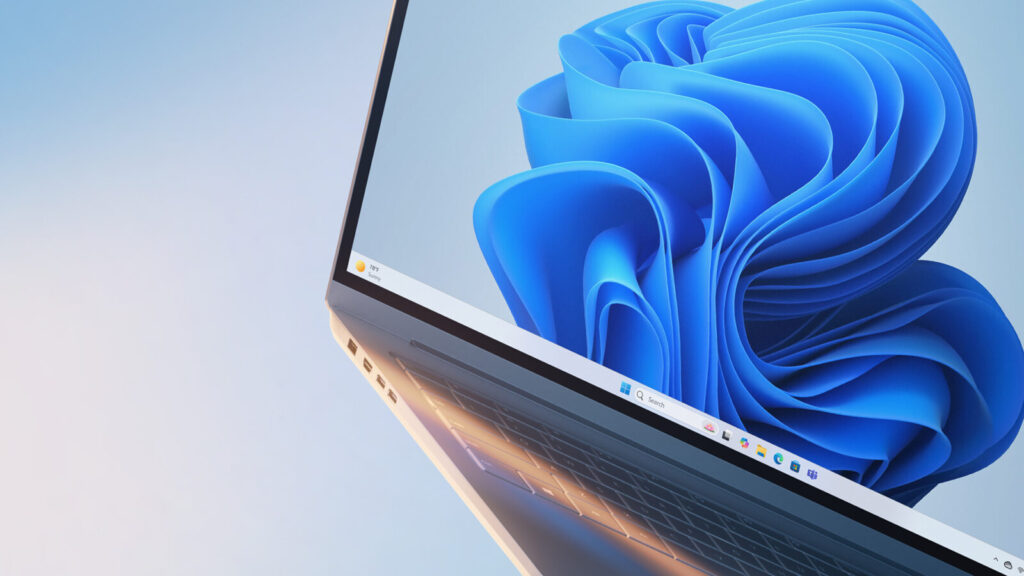
Por: Yusuf Mehdi, vicepresidente ejecutivo, director de marketing de consumo.
Cuando lanzamos Windows en 1985, nos propusimos revolucionar la informática, guiados por la creencia de que la tecnología debería ser accesible, intuitiva y potente para todos. Casi 40 años después, esa misma visión sigue impulsándonos hacia adelante. Hoy en día, Windows es el sistema operativo más utilizado, que alimenta a más de mil millones de dispositivos activos mensuales a través de una plataforma abierta y flexible que conecta a las personas, las ideas y las innovaciones en las PC con Windows que usan todos los días en todo el mundo.
De cara al futuro, 2025 marca un hito importante para Windows. Vimos el espíritu de innovación en plena exhibición en CES en enero, cuando el ecosistema de Windows se unió para revelar tecnologías revolucionarias y presentar nuevas PC con Windows 11 y Copilot+. Y ese impulso no hace más que crecer, a medida que la nueva tecnología de silicio, los diseños de hardware bien pensados y las experiencias de IA en el dispositivo dan a la gente más razones para actualizar su PC con Windows. Con la IA convirtiéndose en una parte más natural y útil de la vida cotidiana, 2025 continúa con su surgimiento como el año de la actualización de la PC con Windows 11.
Desde la mejora de la productividad y la optimización de los flujos de trabajo de TI hasta la innovación impulsada por la IA, estos avances redefinen lo que las personas esperan de sus dispositivos, no solo para hoy, sino para el futuro. Tanto si utilizan un PC Copilot+ como Windows 365 en la nube, queremos que experimenten lo mejor de Windows 11, y se comienza por la seguridad. También reconocemos que las transiciones a los nuevos equipos requieren una planificación cuidadosa. Dado que el soporte de Windows 10 llega a su fin en octubre, estamos aquí para proporcionar información y recursos para ayudarlos a elegir el camino que mejor se adapte a sus necesidades, ya sea explorar la próxima generación de Windows, permanecer en su PC actual con el Programa de seguridad extendida (ESU, por sus siglas en inglés) o pasar a una solución basada en la nube.

El soporte para Windows 10 finaliza en octubre: esto es lo que necesitan saber
A medida que la tecnología evoluciona, la eliminación gradual de los sistemas operativos más antiguos y la actualización a versiones más nuevas es una parte natural del ciclo de vida, que ayuda a garantizar que tengan las últimas funciones e innovaciones de seguridad. Windows 10 se lanzó en julio de 2015 y, después de casi una década, el soporte finalizará el 14 de octubre de 2025.
Esto es lo que significa:
- Microsoft ya no proporcionará actualizaciones de seguridad y características, ni soporte técnico para PC con Windows 10. Si bien estos dispositivos seguirán con su funcionamiento, ya no recibirán actualizaciones de seguridad periódicas, lo que los hará más vulnerables a las amenazas cibernéticas, como malware y virus.
- Las empresas y organizaciones que operan con Windows 10 pueden tener dificultades para mantener el cumplimiento normativo con software no compatible.
- Es posible que las aplicaciones que se ejecutan en Windows 10 ya no sean compatibles, ya que la plataforma ya no recibe actualizaciones de funciones. Como resultado, algunas aplicaciones pueden experimentar una disminución de la funcionalidad.
- Las aplicaciones de Microsoft 365i que se ejecutan en PC personales y comerciales con Windows 10 recibirán actualizaciones de seguridad hasta el 10 de octubre de 2028 y actualizaciones de características hasta agosto de 2026.ii Estas actualizaciones están pensadas para ayudar a facilitar la transición de los clientes a Windows 11 y se entregarán a través de canales de actualización estándar. Estas actualizaciones no incluyen soporte técnico.
- Microsoft proporcionará actualizaciones de inteligencia de seguridad para Microsoft Defender Antivirus en Windows 10 hasta octubre de 2028.
Si utilizan Windows 10 hoy, verificar si su PC puede actualizarse a Windows 11 es simple. Sólo hagan clic en el botón Inicio, luego vayan a Configuración > Actualización y seguridad > Windows Update. También pueden usar la aplicación PC Health Check para ver si su dispositivo cumple con los requisitos del sistema de Windows 11 o consultar con el equipo de TI de su organización para obtener soporte.
Entendemos que su PC contiene lo que es importante para ustedes, desde años de archivos valiosos hasta fotos preciadas, y la configuración personal que la hace suya. Para que el cambio a un PC con Windows 11 sea lo más sencillo y seguro posible, les recomendamos que utilicen la Copia de seguridad de Windows, integrada en Windows 10. Es una forma sencilla de ayudarlos a transferir de forma segura sus datos, archivos personales y la mayoría de las configuraciones y aplicaciones, para que todo esté listo para ti en el momento en que inicien sesión.
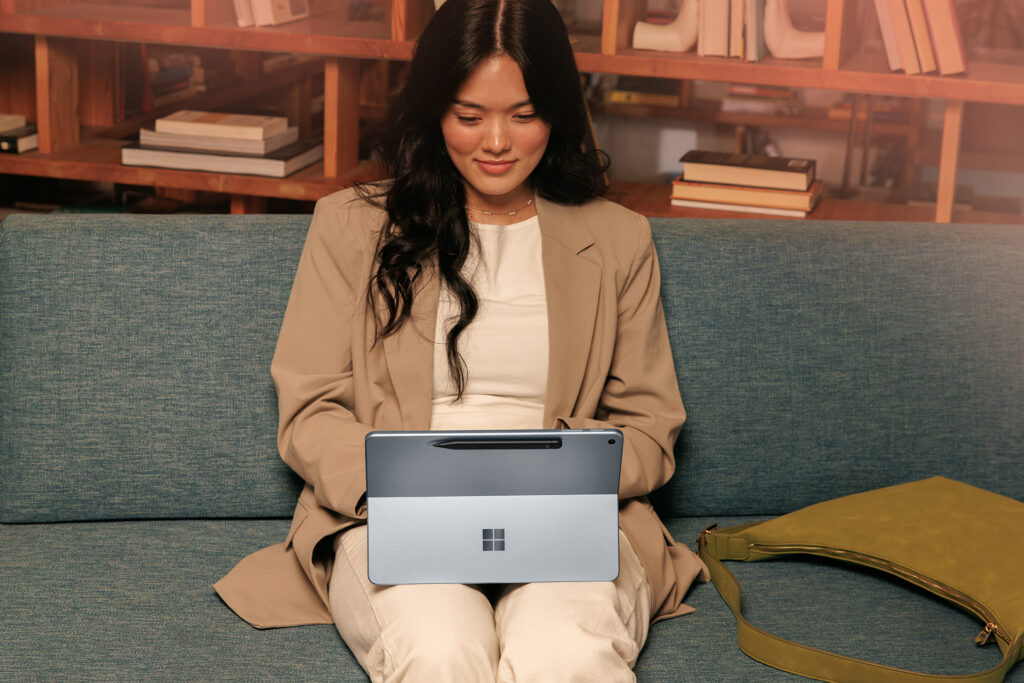
Exploren lo que viene con Windows 11
La seguridad está en el corazón de Windows 11. Como parte de la Iniciativa de Futuro Seguro (SFI, por sus siglas en inglés) de Microsoft, mejoramos de manera constante la seguridad de Windows para ayudarlos a mantenerse protegidos, ya sea que usen una computadora portátil personal o que administren una flota de dispositivos en el trabajo. Windows 11 es seguro por diseño y de forma predeterminada, con capas de defensa habilitadas desde el primer día para mejorar su protección sin la necesidad de configurar primero los ajustes.
Windows 11 se basa en la experiencia familiar de Windows que conocen y en la que confían, al tiempo que ofrece una experiencia informática más moderna y segura. Ofrece un rendimiento más rápido, una navegación más sencilla y las últimas funciones y experiencias. No es solo un dispositivo diseñado para hoy, está hecho para el mañana.
- La seguridad es lo primero. Windows 11 es el sistema operativo más seguro que hemos creado y ofrece seguridad avanzada como TPM 2.0, seguridad basada en virtualización y Smart App Control, todo habilitado de forma predeterminada. Las nuevas PC con Windows 11 han experimentado una caída del 62% en los incidentes de seguridad y una reducción de 3 veces en los ataques de firmware.iii
- Más rápido y eficiente. Windows 11 continúa con la mejora de los aspectos básicos de las actualizaciones de Windows, al ofrecer actualizaciones mensuales más rápidas y descargas de actualizaciones de características más pequeñas. Esto da como resultado un tiempo de respuesta más rápido cuando está en modo de suspensión, una navegación web más rápida y un rendimiento mejorado en general. De hecho, los PC con Windows 11 son hasta 2,3 veces más rápidos que los PC con Windows 10iv.
- Experiencia de usuario familiar pero moderna. Windows 11 mantiene las experiencias de usuario conocidas de Windows 10, pero presenta un diseño de interfaz de usuario más moderno y optimizado con mejores características multitarea, como Snap Layouts y múltiples escritorios. Elementos clave como el menú Inicio y la barra de tareas ofrecen un aspecto más limpio en Windows 11, al tiempo que mantienen la navegación intuitiva y fácil de usar.
- Funciones de accesibilidad integradas. Windows 11 tiene características de accesibilidad nuevas y mejoradas, basadas en las herramientas de Windows 10. Como novedad en Windows 11, las sesiones de concentración ayudan a los usuarios que necesitan menos distracciones a mantenerse concentrados, los subtítulos en vivo pueden transcribir el audio de cualquier aplicación o conversaciones en persona a través del micrófono, y Voice Access les permite controlar su dispositivo y dictar texto con su voz, en comparación con el reconocimiento de voz básico en Windows 10. Windows 11 también tiene temas de contraste mejorados, mejor ampliación de pantalla y voces de narrador más naturales.
- Copilot en Windows 11. A medida que Copilot se vuelve más optimizado para Windows, se destaca como su compañero de IA de referencia, listo cuando lo necesiten. Con Copilot Vision en Windows,v Copilot actúa como un segundo par de ojos, para analizar el contenido de la pantalla en tiempo real y hablándoles de él. Y con la nueva función Destacados, Copilot no solo les dice qué hacer, sino que también puede mostrárselo.
- Experiencias exclusivas de IA al alcance de tu mano. Los PC con Windows 11 Copilot+ desbloquean experiencias exclusivas impulsadas por IA. Características como Recuperar (versión preliminar), Hacer clic (versión preliminar) y la búsqueda mejorada de Windows les ayudan a ser más eficientes y encontrar información sin esfuerzo, mientras que las experiencias mejoradas, como Cocreator en Paint y Restyle en Fotos, les ayudan a aprovechar nuevas posibilidades creativas con seguridad integrada.vi
- Diseñado para cualquier entorno de trabajo y para todos los empleados. Windows 11 ofrece características que mejoran la multitarea y permiten flujos de trabajo un 50% más rápidos en comparación con Windows 10. Los empleados se benefician de la IA al alcance de la mano, un rendimiento más rápido y la seguridad habilitada de forma predeterminada, con un retorno de la inversión estimado del 250%.vii
- Más opciones, más flexibilidad, más rendimiento. Ya sea para uso personal, trabajadores de primera línea o cualquier otra persona, una amplia cartera de PC con Windows 11 y Copilot+ de socios como Acer, ASUS, Dell, HP, Lenovo, Samsung y Surface, está diseñada para satisfacer sus necesidades.
Actualizaciones de seguridad extendidas de Windows 10: un puente hacia la experiencia de Windows 11
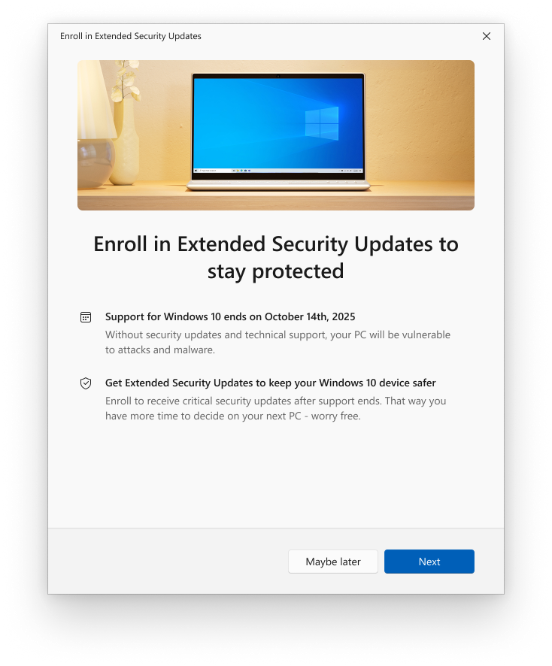
Entendemos que pasar a un nuevo PC puede llevar tiempo, y estamos aquí para apoyarlos en cada paso del camino. El programa de actualizaciones de seguridad extendidas (ESU, por sus siglas en inglés) de Windows 10 está diseñado para ayudar a mantener su PC con Windows 10 protegido después de que finalice el soporte el 14 de octubre de 2025. ESU ofrece actualizaciones de seguridad críticas e importantes mensuales para ayudarlos a mantenerse seguros durante la transición. Sin embargo, no pretende ser una solución a largo plazo: no incluye nuevas funciones, actualizaciones no relacionadas con la seguridad, solicitudes de cambio de diseño o soporte técnico.
Como compartimos en octubre pasado, por primera vez, pueden inscribir su PC personal con Windows 10 en el programa ESU y recibir actualizaciones de seguridad mensuales críticas e importantes durante un año después de que finalice el soporte en octubre. Hoy, presentamos opciones adicionales de inscripción gratuita y los sencillos pasos para comenzar.
Actualizaciones de seguridad extendidas para Windows 10:
- Para individuos: Un asistente de inscripción estará disponible a través de notificaciones y en Configuración, lo que facilita la inscripción en ESU directo desde su PC personal con Windows 10. A través del asistente de inscripción, podrán elegir entre tres opciones:
- Utilicen Copias de seguridad de Windows para sincronizar su configuración con la nube, sin costo adicional.
- Pueden canjear 1.000 puntos Microsoft Rewards.
- Paguen $30 USD (el precio local puede variar).
Una vez que seleccionen una opción y sigan los pasos en pantalla, su PC se inscribirá en automático. La cobertura de ESU para dispositivos personales se extiende desde el 15 de octubre de 2025 hasta el 13 de octubre de 2026. A partir de hoy, el asistente de inscripción está disponible en el Programa Windows Insider y comenzará a implementarse como una opción para los clientes de Windows 10 en julio, con una amplia disponibilidad prevista para mediados de agosto.viii
- Para organizaciones comerciales: Las organizaciones pueden suscribirse a ESU por 61 USD por dispositivo para recibir actualizaciones de seguridad críticas e importantes mensuales durante un año. La suscripción se puede renovar de manera anual durante un máximo de tres años, y el costo aumenta cada año.ix La inscripción está disponible hoy a través del Programa de Licencias por Volumen de Microsoft y será ofrecida por los proveedores de servicios en la nube a partir del 1 de septiembre.
- Para entornos virtuales y en la nube: los dispositivos con Windows 10 que accedan a PC en la nube con Windows 11 a través de Windows 365 o máquinas virtuales tienen derecho a ESU sin costo adicional y recibirán de manera automática actualizaciones de seguridad sin necesidad de pasos adicionales.
Más información aquí: Programa de actualizaciones de seguridad extendidas (ESU) para Windows 10 | Microsoft Learn.
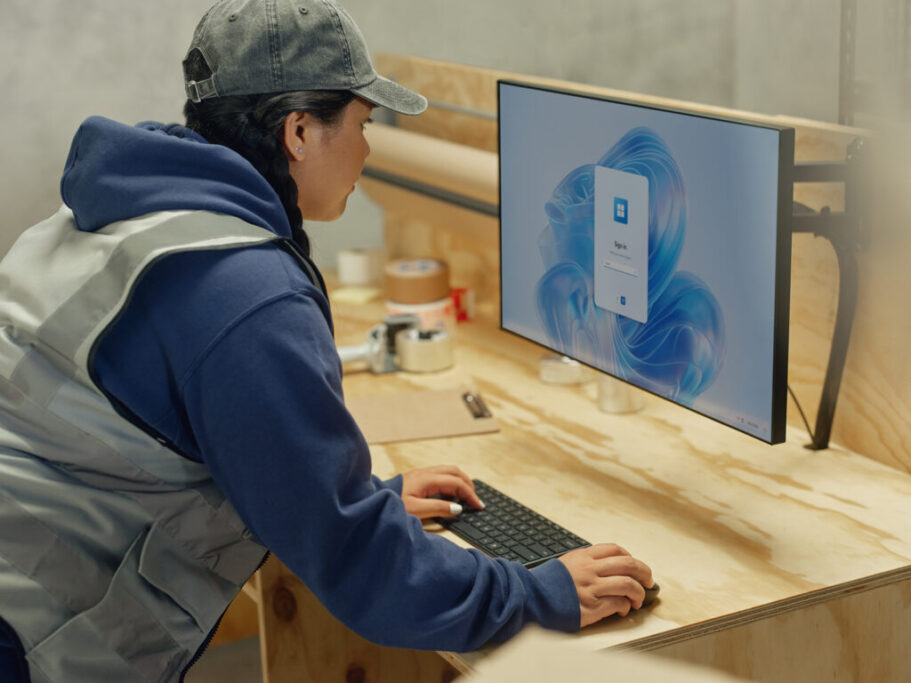
Cambien a Windows 11 en la nube con Windows 365
Windows 365 ofrece a las organizaciones otra forma de pasar a Windows 11 sin necesidad de reemplazar todos los dispositivos de inmediato. Es una alternativa rentable y más sostenible, a la vez que proporciona una mayor seguridad y eficiencia operativa. Esta solución basada en la nube ofrece una experiencia segura de Windows 11 a cualquier dispositivo a través de un PC en la nube, para que su equipo pueda trabajar desde casi cualquier lugar.
Para ayudar a facilitar la transición, los nuevos clientes pueden obtener un 20% de descuento en cualquier plan de Windows 365 durante los primeros 12 meses. Visiten Windows 365 hoy mismo para obtener más información sobre esta oferta.x

Ecosistema de Windows: una opción para todos
Cada persona y organización tiene necesidades diferentes, ya sea un dispositivo portátil para mantenerse conectados mientras viajan o una PC más potente diseñada para la productividad y diferentes cargas de trabajo. Al trabajar en estrecha colaboración con nuestros socios de confianza, hay una variedad de opciones para respaldar la forma en que viven, trabajan y crean.
Estos son algunos PC Copilot+ y dispositivos Windows 11 de socios de confianza como Acer, ASUS, Dell, HP, Lenovo, Samsung y Surface, con opciones diseñadas para la movilidad, el rendimiento, la seguridad y las experiencias impulsadas por IA.
- Acer: Manténganse conectados en todas partes con TravelMate P6 14 AI, un PC Copilot+ y un portátil empresarial de alto rendimiento diseñado para el trabajo y la vida móvil.
- ASUS: El ASUS Zenbook A14 Copilot+ PC ofrece experiencias exclusivas de IA y una duración de la batería de varios días de trabajo en un diseño elegante y minimalista, mientras que el ASUS ExpertBook P5 es una potencia de IA con un cuerpo de aluminio y un diseño elegante para profesionales modernos y móviles.
- Dell: Den rienda suelta a su creatividad con la laptop Dell 16 Plus, que cuenta con una pantalla grande y gráficos Intel Arc, ideal para estudiantes y creadores. O enfréntense a trabajar desde cualquier lugar en la Dell Pro 14 Premium, la PC Copilot+ de 14″ más liviana y silenciosa de la familia Dell Pro.
- HP: El portátil 2 en 1 HP OmniBook X Flip de 16 pulgadas combina velocidad y rendimiento para el trabajo creativo y el entretenimiento, mientras que el HP EliteBook 8 G1i de 14 pulgadas ofrece seguridad de nivel empresarial, experiencias impulsadas por IA y un diseño portátil, perfecto para profesionales de TI.
- Lenovo: Creen sin límites con la superdelgada y ligera Yoga Slim 7i Aura Edition, que ofrece experiencias exclusivas con Copilot+ para PC, o aumenten la productividad con la nueva cartera de portátiles de la serie ThinkPad X9 de 14″ y 15′ de Lenovo, diseñada para los profesionales expertos en tecnología.
- Samsung: El Galaxy Book5 Pro, una PC Copilot+, es una potente computadora portátil con Windows 11 diseñada para realizar múltiples tareas, trabajar de manera creativa y ejecutar sus aplicaciones favoritas, perfecta para trabajar y jugar. El Galaxy Book4 Edge es un PC Copilot+ ultradelgado hecho para la vida en movimiento, con una pantalla brillante y una batería de larga duración.
- Los PC Surface Copilot+ combinan un rendimiento potente, una duración de la batería durante todo el día y experiencias de IA innovadoras en diseños elegantes con el nuevo Surface Laptop de 13 pulgadas y el Surface Pro de 12 pulgadas con un diseño flexible 2 en 1 y un soporte integrado. Para las organizaciones, los equipos Surface for Business Copilot+ ofrecen mayor eficiencia con los últimos procesadores Intel Core Ultra (Serie 2).
Cuando estén listos para comprar, los programas de intercambio y reciclaje están disponibles a través de nuestros muchos socios de confianza, incluidos Acer, ASUS, Dell, HP, Lenovo, Samsung.

Avanzar hacia Windows 11: juntos
Windows forma parte de tu vida cotidiana y queremos ayudarlos a que esa experiencia sea fluida, segura y esté actualizada.
Si no están seguros de por dónde empezar, el primer paso es verificar si su PC con Windows 10 es elegible para una actualización gratuita a Windows 11. Si es así, pueden seguir unos sencillos pasos para instalar la actualización: no olviden usar Copia de seguridad de Windows para guardar con facilidad sus archivos y configuraciones antes de hacer el cambio.
Si su PC no es apto o si necesitan más tiempo, hay opciones. No importa dónde se encuentren en su recorrido, ya sea que permanezcan en su PC actual con ESU, actualicen a Windows 11 o pasen a Windows 365, estamos aquí para ayudarlos en cada paso del camino.
Obtengan más información sobre cómo adelantarse al fin del soporte de Windows 10 y sigan los siguientes pasos: Cómo prepararse para el fin del soporte de Windows 10 pasando a Windows 11 hoy mismo | Blog de experiencia de Windows.
Notas al pie
iEsto incluye Aplicaciones Microsoft 365 para empresas, Aplicaciones Microsoft 365 para empresas y las aplicaciones de escritorio de Microsoft 365 incluidas en otros conjuntos de aplicaciones comerciales y de consumo, como Microsoft 365 E3, Microsoft 365 Empresa Estándar y Microsoft 365 Familia.
iiLa actualización final de funciones se enviará en agosto de 2026 para los clientes del canal actual, incluidos todos los clientes consumidores. Los clientes de los canales Enterprise mensuales y semestrales recibirán sus últimas actualizaciones de funciones más adelante, en octubre de 2026 y enero de 2027, respectivamente.
iiiInforme de encuesta de Windows 11. Techaisle LLC, septiembre de 2024. Encargado por Microsoft. Los resultados de Windows 11 se comparan con los dispositivos de Windows 10.
ivBasado en el benchmark Geekbench 6 Multi-Core. Véase aka.ms/w11claims
v Disponible en los EE. UU. y pronto llegará a más países no europeos.
vi Las experiencias de Copilot+ para PC varían según el dispositivo y el mercado, y pueden requerir actualizaciones que continúen implementándose hasta 2025; El tiempo varía. Ver aka.ms/copilotpluspcs
vii Estudio encargado por Microsoft y entregado por Forrester Consulting: «El impacto económico total de los dispositivos Windows 11 Pro», diciembre de 2022. Tenga en cuenta que los beneficios cuantificados reflejan los resultados de tres años combinados en una sola organización compuesta que genera $1 mil millones en ingresos anuales, tiene 2,000 empleados, actualiza el hardware en un ciclo de cuatro años y migra la totalidad de su fuerza laboral a dispositivos Windows 11.
viii La disponibilidad comercial comienza con la actualización de julio de 2025 no relacionada con la seguridad a través de la implementación controlada de características. Para ser uno de los primeros en experimentar las nuevas características, vaya a Configuración > Windows Update y active «Obtener las actualizaciones más recientes tan pronto como estén disponibles«.
ix Los mercados no incluyen Rusia, Bielorrusia, Cuba, Irán, República Popular Democrática de Corea, Sudán y Siria.
x Esta oferta es válida del 1 de mayo al 31 de octubre de 2025 y está destinada a los clientes que no se suscriben actualmente a Windows 365. Las transacciones deben procesarse a través del centro de operaciones de Microsoft antes de las 11:00 p. m., hora del Pacífico, del 31 de octubre de 2025. Esta oferta es intransferible y no se puede combinar con ninguna otra oferta o descuento en Windows 365. Esta oferta solo está disponible una vez por cliente. El precio de descuento estará vigente durante la duración del compromiso de compra. Las compras realizadas antes de la fecha de entrada en vigor de la oferta no son elegibles. Los impuestos, si los hubiera, son responsabilidad exclusiva del destinatario. Microsoft se reserva el derecho de interrumpir esta promoción y de modificar estas directivas y los términos y condiciones de la promoción en cualquier momento.
The post Manténganse seguros con Windows 11, PC Copilot+ y Windows 365 antes de que finalice el soporte para Windows 10 appeared first on Source LATAM.
The post Manténganse seguros con Windows 11, PC Copilot+ y Windows 365 antes de que finalice el soporte para Windows 10 appeared first on Source LATAM.